Skip to content

Your ideas, in blocks

Custom blocks.
Your way.

Build reusable Gutenberg blocks inside WordPress. Design visually or write HTML/PHP, give editors the controls they need, and keep the shared design yours.

WPBlocks Pro 1.2.0 Formerly BF Blocks

A little structure. A lot of possibility.
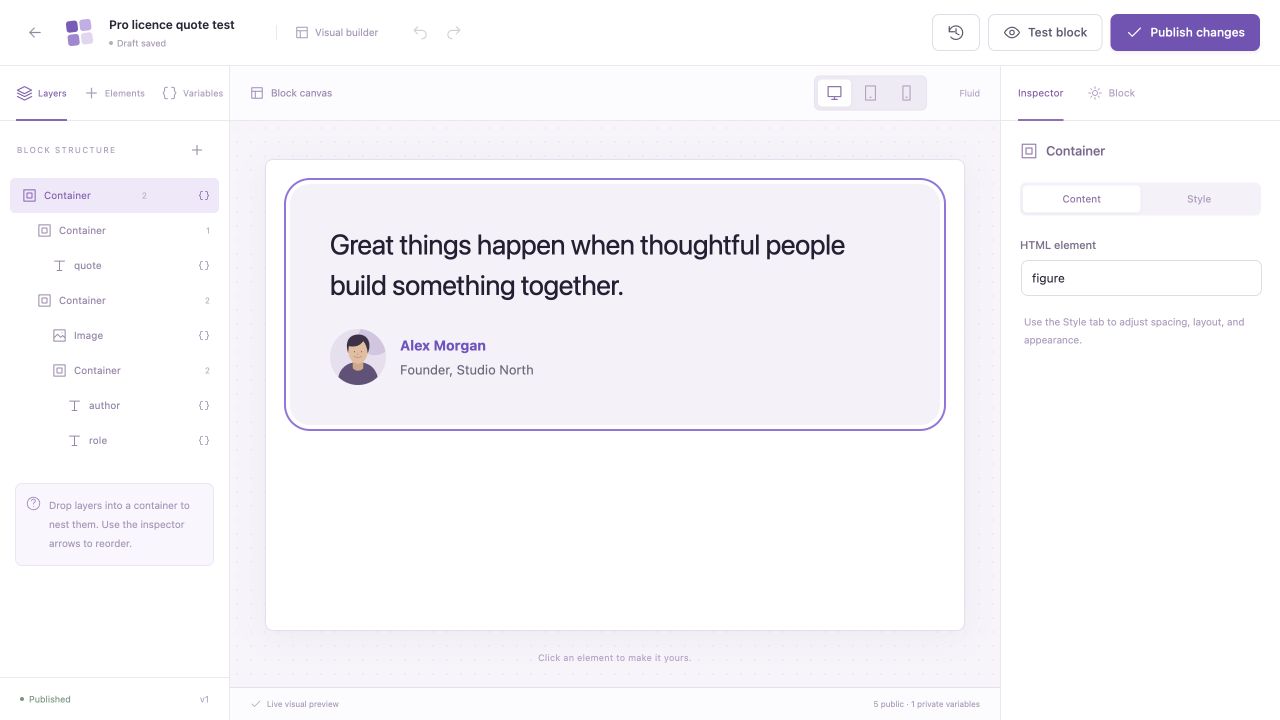
WPBlocks Pro visual canvas showing a reusable quote block with layers and style controls
Inside the visual builder · Open the full-size preview
Your layout. Their content. One reusable block.
Native to GutenbergWordPress 6.7+PHP 8.1+Active Pro licence for authoring

Take a look inside

From your first idea
to their everyday content.

A focused studio for individual blocks, with the design tools you need and a familiar Gutenberg experience for editors.

A smaller canvas. Bigger possibilities.

Make the block
you have in mind.

Arrange seven visual elements on a dedicated canvas. Use flex or grid containers, nest layers, and refine the details in the style inspector.

  • Drag-and-drop layers, duplication and undo/redo
  • Desktop, tablet and mobile style variants
  • Live preview while you build
WPBlocks visual editor with quote layout, layers and style inspector
Actual WPBlocks Pro 1.2.0 editor · Fictional sample content

Two ways to create

Start visually.
Or start with code.

01 / VISUAL CANVAS

Think in shapes.
Build with elements.

Containers, headings, text, images, buttons, dividers and spacers. Arrange the structure, bind your variables and adjust styles for desktop, tablet and mobile.

ContainerHeadingTextImageButtonDividerSpacer
02 / HTML + PHP

Your markup.
A reusable content model.

Write HTML with editable tokens and scoped CSS. Trusted administrators can enable PHP for blocks that need server-side logic.

<section>
  <h2>{{heading}}</h2>
  <p>{{description}}</p>
</section>

PHP is optional, disabled by default and runs as trusted server code. Visual and code modes do not automatically convert into each other.

A clear content model

The right field.
For every little detail.

Choose from ten variable types. Give editors useful controls for each block, with shared settings where consistency matters.

  • Text
  • Long text
  • Rich text
  • Colour
  • Link
  • Image
  • Number
  • Range
  • Toggle
  • Select

A good place to start

Good design deserves
to be used again.

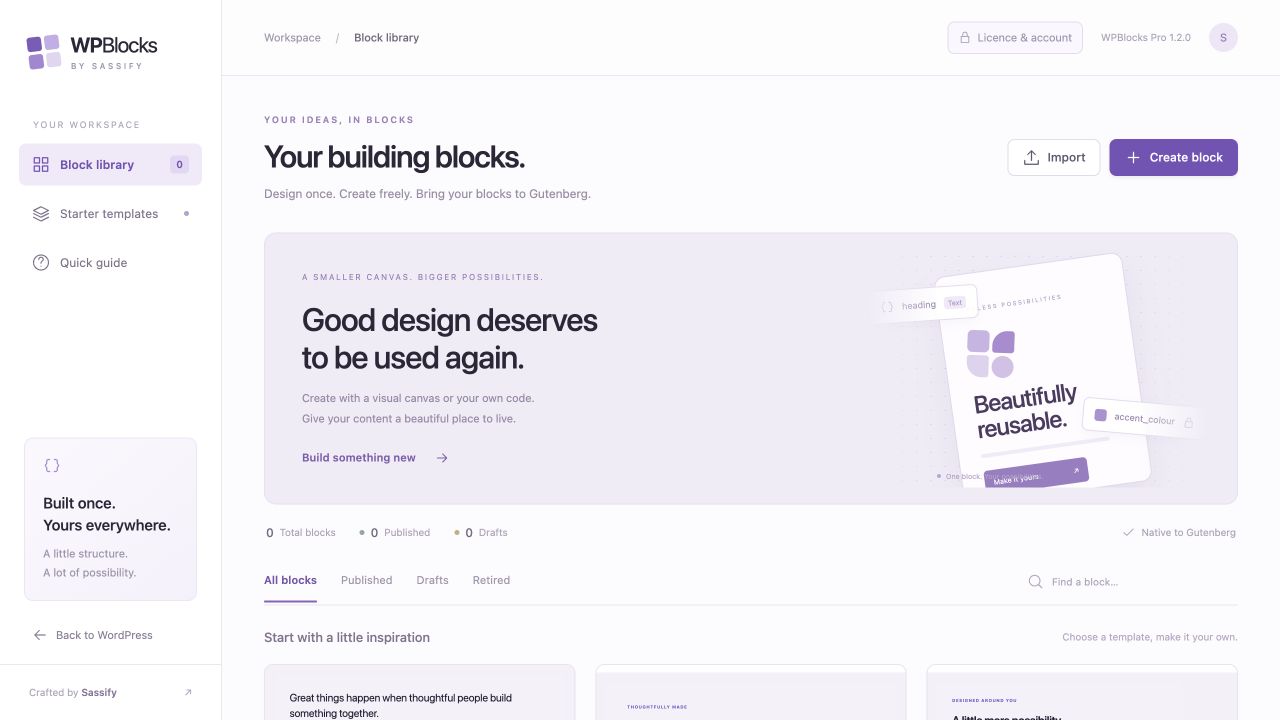
41 starter variations across 16 families. Pick a starting point, make it your own, and publish a block your team can keep using.

41editable starters
5 layouts

Quotes & reviews

Simple, portrait, split image and more

5 layouts

Introductions

Hero sections and section headings

4 layouts

Content & media

Image and text layouts, article cards

7 layouts

Features & services

Feature cards, grids and process steps

5 layouts

Calls to action

Calls to action and announcements

5 layouts

People & contact

Team profiles and contact cards

5 layouts

Numbers & pricing

Statistics and pricing layouts

5 layouts

Help & information

FAQ layouts and notices

Starters are presentation layouts: contact cards are not forms, pricing cards do not process payments, and FAQ layouts display answers openly. Sample content is fictional.

From setup to everyday use

Build once.
Make the next page easier.

Install WPBlocks Pro, activate your licence and open the studio on a desktop. Your published blocks become part of the way your team works in Gutenberg.

Visit the WPBlocks website
  1. 01

    Start with an idea

    Choose a starter, a blank visual canvas or an HTML template.

  2. 02

    Make it editable

    Add variables and decide which content editors can change.

  3. 03

    Review, then publish

    Check your draft and make the finished block available in Gutenberg.

  4. 04

    Use it again

    Insert the block across your pages. Each instance keeps its own content.

One Pro toolkit. Choose your site allowance.

A little structure.
A lot more possibility.

The complete visual builder, code editor, starter library and editable fields. All Pro options include the same features, with no product-imposed block-count quota.

View Pro pricing Explore WPBlocks

Plans and purchase details
on the WPBlocks website.

A few useful answers

Good to know.

Ask us about WPBlocks
Is WPBlocks the same plugin as BF Blocks?

WPBlocks is the new name for BF Blocks. The current release is WPBlocks Pro 1.2.0, with a visual studio, HTML/PHP authoring and a library of editable starters.

Is it a page builder?

WPBlocks builds individual reusable Gutenberg blocks. You still compose your pages in WordPress’s block editor, where editors change the public fields you have chosen to expose.

Do I need to write code?

No. You can build visually with containers, headings, text, images, buttons, dividers and spacers. HTML templates and scoped CSS are available too. Optional PHP is disabled by default and requires explicit configuration and trusted administrator permissions.

How many blocks can I create?

Pro has no product-imposed limit on the number of block definitions. Each definition supports up to 60 variables and 150 visual nodes; nesting, file-size limits and your hosting resources still apply.

What happens if my licence expires?

Block authoring and new insertions become unavailable. Existing published blocks continue rendering and their saved content controls remain editable in Gutenberg while the plugin stays installed and active. Deactivating the plugin stops dynamic output, but retains stored definitions and content.

Can I move my blocks to another site?

Yes. Export and import block definitions as JSON. Imports start as drafts so you can review them before publishing. Media attachment IDs are site-specific, so check images and URLs on the destination site.

Is there a free edition?

A separate Free edition is planned. The current release is WPBlocks Pro and needs an active paid licence for authoring. View the pricing page for the available site allowances and purchase details.


WPBlocks · Thoughtfully built. Endlessly reusable.

Find your Pro plan